Thursday, 18 July 2019

Instagram Will Issue a Warning before Deleting Accounts for Policy Violations


Instagram has announced a new set of rules when it comes to deleting accounts for hate speech, nudity or any other violations. Unlike before Instagram will issue a warning to users before deleting their account.

The new changes are expected to help Instagram zero in and delete accounts that are flagged for a certain number of violations in a given time period. The new rule will be added to the existing policy.

Under our existing policy, we disable accounts that have a certain percentage of violating content. We are now rolling out a new policy where, in addition to removing accounts with a certain percentage of violating content, we will also remove accounts with a certain number of violations within a window of time. Similarly to how policies are enforced on Facebook, this change will allow us to enforce our policies more consistently and hold people accountable for what they post on Instagram.

That apart, Instagram is also introducing a new notification process which will warn the users if their account is likely to be deleted. In many cases, this will help Instagram users to correct their behaviour and avoid deletion. Moreover, they will be able to appeal for violations of our nudity and pornography, bullying and harassment, hate speech, drug sales, and counter-terrorism policies.

Sponsor ads:

Gihosoft RePicvid Free Photo Recovery Software provides a free photo recovery software for windows to help users recover the deleted or lost photo for free.

If you lost data after you updated to a new iPhone, you can always use Gihosoft iPhone Data Recovery to get the data back from the old iPhone or backup.You may also like: iphonerecovery.com


Instagram also assures that in case of error it will quickly restore the content and remove the user from the blacklist. If your account has been flagged off you can appeal via Instagram Help Center.

[via Instagram]

Wednesday, 29 May 2019

Best Cell Phone Repair Software – 2019


1. Greenify


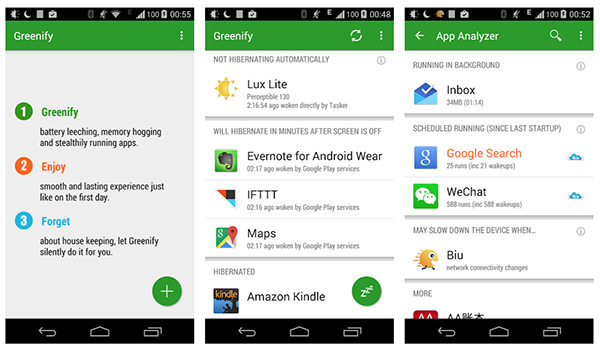
If you are facing lagging and slow performance on your device, Greenify could resolve the issue for you. What the app does for you is it puts all the inactive apps in the hibernation mode to help you save on your battery life as well as free-up the RAM space to run active apps faster than others. The app is used by a lot of users on a daily basis and it does the following for its users:

Recommended Features of Greenify


Maximize battery life.


Put inactive apps in hibernation mode.

Although it is not a full mobile repairing app, it helps you fix a few elements on your device and you can use it if those are the areas where you have issues on your phone.3. Wifi Analyzer


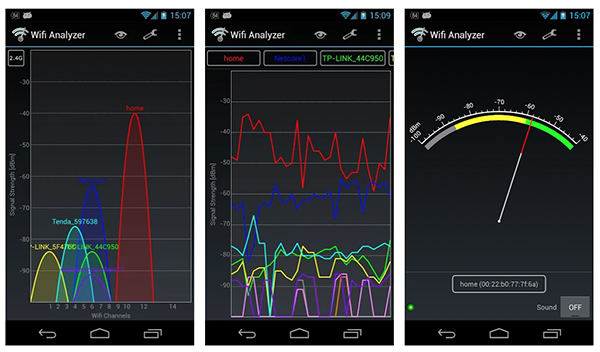
If you are having trouble connecting to a WiFi network due to crowded channel issues, you may use the Wifi Analyzer application to find less crowded channels and to join them. The application scans networks around you and helps you choose the best connection so you do not have any issues with your network. The app does the following for you:

Recommended Features of Wifi Analyzer


Scans networks around you.


Helps find less crowded WiFi channels.

If WiFi connection is a big trouble for you, the app will resolve the issue for you.
2. Phone Doctor Plus


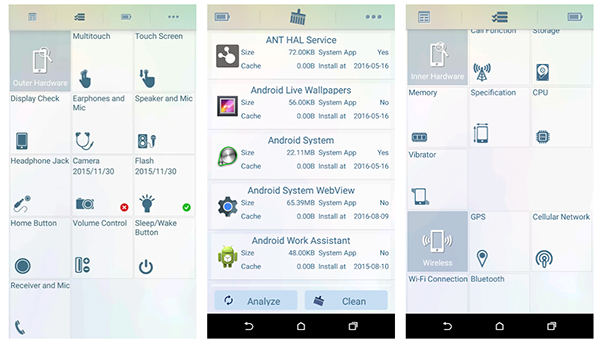
Phone Doctor Plus is an app that lets you perform a full diagnosis of all the elements on your device. It checks and provides you with information about how each and every part of your phone is performing so you can work on the weaker parts and improve them. The following are the main features of the app:

Recommended Features of Phone Doctor Plus


View phone information at a glance.


Record charge cycles of the phone battery.


Monitor network usage.


Check more than 30 hardware items on the phone.

If you have issues with any of the parts on your phone, this is the app you need to use.
3. All-in-one Toolbox


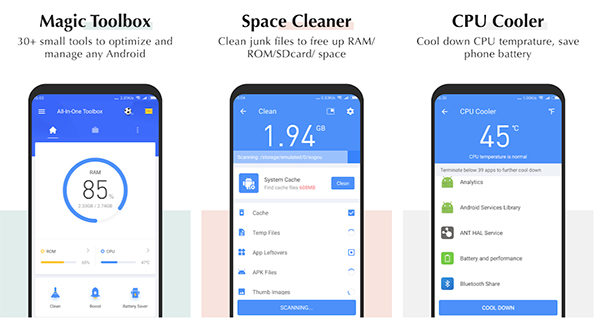
All-in-one Toolbox, as the name implies, is a full solution for your phone junk and speed related issues. The app has all the sub-tools you need to clean up your phone of any junk content and boost its performance. It even has a file explorer to let you explore your files like a file manager. Here's what the app offers to its users:

Recommended Features of All-in-one Toolbox


Remove junk files from the phone.


Cool down the CPU temperature.


Analyze your WiFi network.


Explore apps and files.

If you are looking for a cell phone repair near me solution, this is the app you should be getting.
4. Assistant for Android


Assistant for Android lets you improve the performance and save the battery life on your phone. The app consists of many tools that let you perform a number of tasks including batch uninstall apps, backup and restore apps, and so on. Here are the main features the app has for you:

Recommended Features of Assistant for Android:


Monitor status of various elements.


Manage processes.


Clean cache files.


Clean system files.


Manage startup apps.
Conclusion Also Read:Free Online Movie Streaming Sites in 2019
Also Read:log out of Facebook Messenger
Also Read:Free Audio MP3 Cutter apps
Also Read:8 Best Call Blocker Apps for Android in 2019︱Filter Spam Calls

Wednesday, 22 May 2019

How to Prevent MacBook Pro Keyboard Issues


Ever since Apple redesigned the MacBook Pro in 2016, it has suffered from keyboard issues. Either a key would stop working, or get stuck. The issue is so common, it’s become a meme now. Finally, Apple has updated its Keyboard Service Program so that any MacBook with the Butterfly keyboard (from 2016 and later) can be replaced for free. But there are things you can do to prevent it as well. Here’s how you can prevent (and fix) keyboard issues on your MacBook Pro or Air.
MacBook Pro / Air Butterfly Keyboard Issues: What You Need to Know


What Is The Issue with MacBook Butterfly Keyboards?


How to Prevent MacBook Pro Keyboard Failure Using Covers


How to Clean Your MacBook Keyboard To Remove Dust and Debris


What is Keyboard Service Program and Are You Covered?


What Is The Time Period for Free Keyboard Replacement?


Will Old MacBook Pros Get The New 2019 Keyboard?


How to Get Your MacBook Pro Keyboard Replaced For Free
What Is The Issue with MacBook Butterfly Keyboards?



Apple used to have keyboards with the scissor switch mechanism. But to save space and make the MacBook thinner, they switched to the Butterfly mechanism. In the scissor mechanism, the switch overlapped and was very reliable. In the butterfly switch, there’s no overlap and the switch is designed like a butterfly’s wings. It’s the new mechanism which is leading to reliability issues as it’s easy for dust particles to get trapped under the keyboard.

The biggest problem though is the fact that you can’t replace a single key from the Butterfly keyboard like you can with a scissor switch or a mechanical keyboard. When something is wrong with a key, the entire keyboard needs to be replaced. And for that, you need to go to Apple.



According to Apple’s official support page, some MacBook Pro keyboards suffer from the following issues:


Letters or characters repeat unexpectedly


Letters or characters do not appear


Key(s) feel “sticky” or do not respond in a consistent manner

Before buying a new MacBook Pro, this is something that you should know about. Apple has promised to fix these issues in the 2019 MacBook Pro where they are using a new material in the keyboard. But we won’t know how much that actually helps until a couple of months down the line.

There’s an argument to be made that there’s a fundamental issue with the Butterfly mechanism.

Even if a small dust particle or debris gets into the keyboard, it can lead to a key being stuck. Plus, there’s just not enough travel or space between the keyboard and the base of the laptop for Apple to change things up. And it’s not like Apple is going to go back to the old ways and bulk up the new MacBook Pro. No, we are stuck with this keyboard for the foreseeable future.

If you’re facing one of these issues, don’t think twice before approaching Apple service center and asking for a full keyboard replacement under the new program.
How to Prevent MacBook Pro Keyboard Failure Using Covers


It’s good to know that Apple will replace the keyboard for free. But it’s still a hassle to go through the process. Plus, Apple will only replace the keyboard from the current version of the MacBook that you have. You won’t get the new and improved 2019 version.

Prevention is always better than cure. And one of the best ways you can prevent your MacBook from keyboard issues is by using a keyboard cover. Try one of the following keyboard covers to protect your keyboard from dust and spills.

UPPERCASE GhostCover ($12.95): This is the most popular option on Amazon right now. It’s also the most unobtrusive and easy to use option. Because it’s transparent and thin (0.12mm thick) you won’t notice it that much. There’s a version for the non-Touch Bar MacBook Pro as well.

Kuzy MacBook Pro Keyboard Cover ($$11.99): This cover is very similar to UPPERCASE’s version, in fact, it has the same thickness. But it comes with a cool green outline on the keys.

Kuzy Multi Color Keyboard Cover ($8.95): If you’re looking for colorful options, take a look at this version of Kuzy’s keyboard cover. It comes in more than a dozen different colors and patterns.

MOSISO Silicone Keyboard Cover ($6.50): This is a great keyboard cover option if you’re on a budget. At just under $7, the keyboard cover gives you protection from dust, spills and more.
How to Clean Your MacBook Keyboard To Remove Dust and Debris

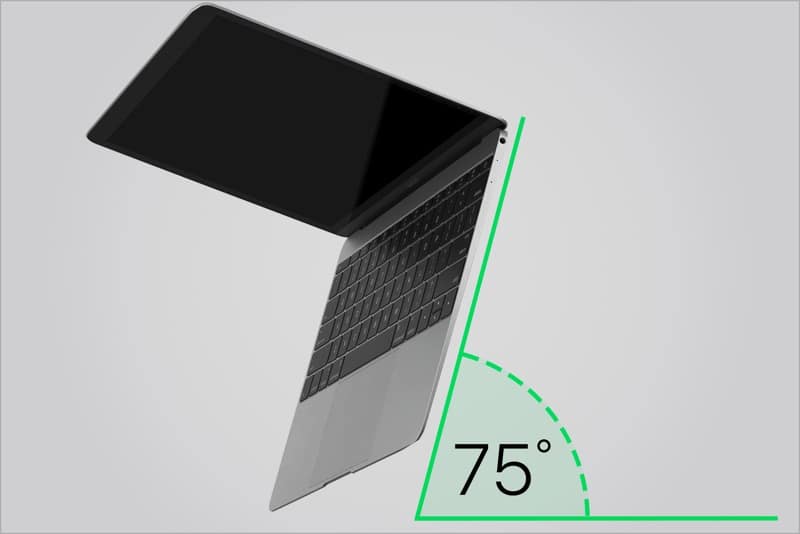
If your MacBook has a key that’s stuck and you’re nowhere near Apple’s service station, you can try to use compressed air to blow the dust particle from under the keyboard. Here are the instructions from Apple’s own support page.

Step 1: Hold your Mac notebook at a 75-degree angle, so it’s not quite vertical.


Step 2: Use compressed air to spray the keyboard, or just the affected keys, in a left-to-right motion.
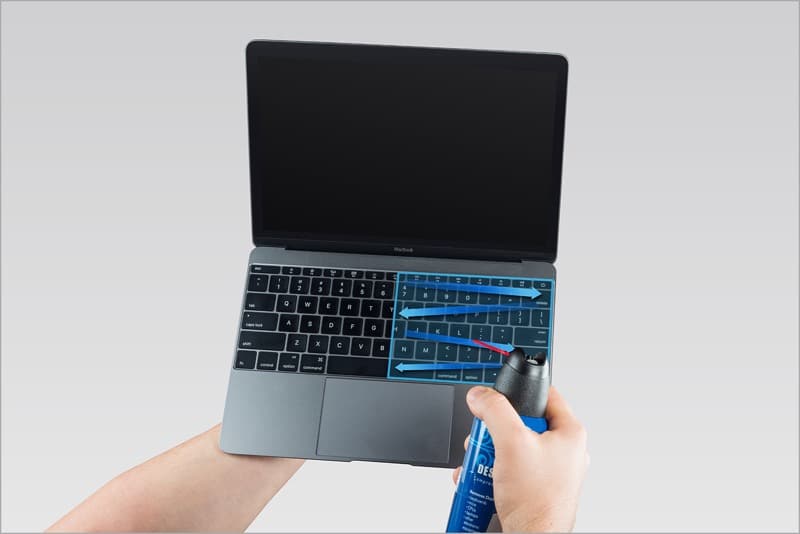


Step 3: Rotate your Mac notebook to its right side and spray the keyboard again, from left to right.


Step 4: Repeat the action, this time with your Mac notebook rotated to its left side.


What is Keyboard Service Program and Are You Covered?

After the release of 2019 MacBook Pros, Apple has extended the Keyboard Service Program to every MacBook that has the Butterfly keyboard mechanism. And thankfully this includes the 2019 MacBook Pros and the 2018 version as well (which were previously left out of the program).

Here’s a list of every MacBook, MacBook Air, and MacBook Pro which is in the free replacement program.


MacBook (Retina, 12-­inch, Early 2015)


MacBook (Retina, 12­-inch, Early 2016)


MacBook (Retina, 12-­inch, 2017)


MacBook Air (Retina, 13-inch, 2018)


MacBook Pro (13­-inch, 2016, Two Thunderbolt 3 Ports)


MacBook Pro (13-­inch, 2017, Two Thunderbolt 3 Ports)


MacBook Pro (13-­inch, 2016, Four Thunderbolt 3 Ports)


MacBook Pro (13-­inch, 2017, Four Thunderbolt 3 Ports)


MacBook Pro (15-­inch, 2016)


MacBook Pro (15-­inch, 2017)


MacBook Pro (13-inch, 2018, Four Thunderbolt 3 Ports)


MacBook Pro (15-­inch, 2018)


MacBook Pro (13-inch, 2019, Four Thunderbolt 3 Ports)


MacBook Pro (15-­inch, 2019)
What Is The Time Period for Free Keyboard Replacement?

Apple will replace the faulty keyboard for a supported Mac as long as the repair date is under the four-year mark from the purchase date. If you buy a machine in 2019, you’re covered till 2023.
Will Old MacBook Pros Get The New 2019 Keyboard?

Apple has improved the 2019 MacBook Pro keyboard by adding a new material that prevents the issue of letters repeating and keys sticking randomly.

But, the 2019 MacBook Pro keyboard design is different. So when you take your 2018 MacBook Pro to the Apple Store, Apple won’t replace it with the newer, improved MacBook keyboard. Instead, you’ll get the same version of MacBook Pro keyboard, just newer.
How to Get Your MacBook Pro Keyboard Replaced For Free

The problem with the Butterfly mechanism is that it can’t be fixed by anyone other than Apple. If you tried using compressed air and it didn’t work, you’ll have to get the entire keyboard replaced.

There are a couple of ways you can go ahead with the replacement. If you’re not in the US, your best bet will be to just show up at the local Apple Service Station, tell them that you know about the worldwide keyboard replacement program, state the issues that you’re having and ask them for a free replacement. Before doing this, first, back up your MacBook Pro. Chances are, the service station will format and reset your Mac before returning to you.

If you’re in the US, you’ll need to take an appointment at the Genius bar, or you can try to show up early at an Apple Store, but you’ll have to spend a lot of time waiting.

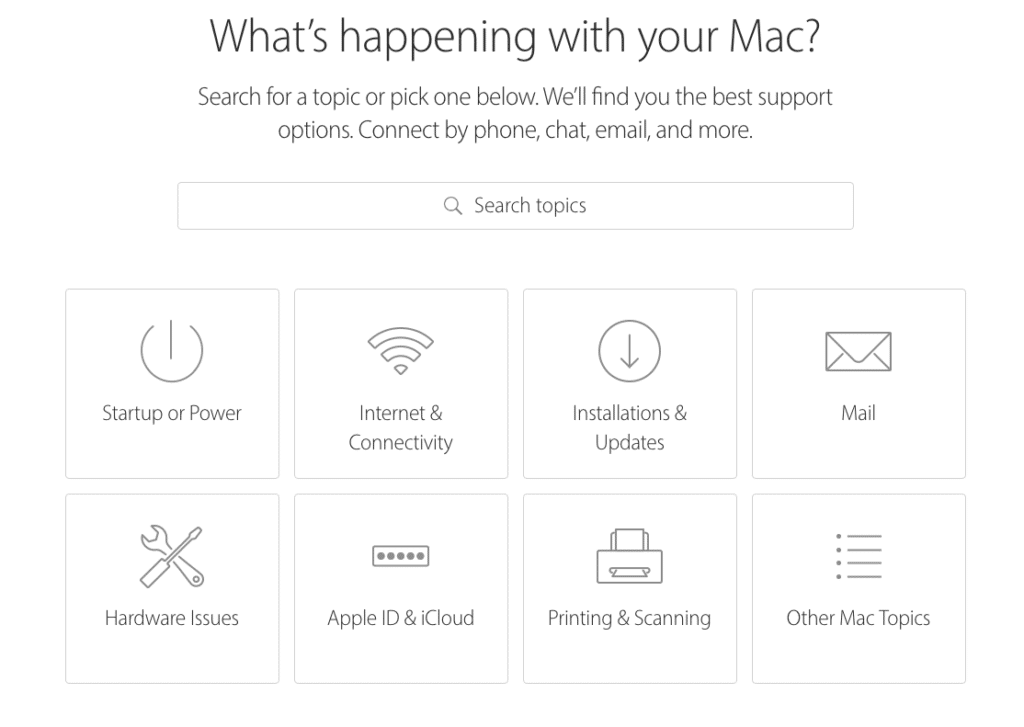
Step 1: Open Apple’s Get Support Page, select Mac and then click on Hardware Issues.

Step 2: Select Keyboard not working as expected, then click on Bring in for Repair button.


Step 3: Log in with your Apple ID, specify your location and then sort the available places based on availability or distance.

Step 4: Select an Apple Store or Apple Authorized Service Provider.

Step 5: Select a time slot that’s available to book your appointment.

Step 6: Arrive at the place at the time of your appointment along with your MacBook Pro and an ID card.

Alternatively, you can also use the Apple Support app on your iPhone to book the appointment as well.

If you are tired of the MacBook Pro issues, you can return the MacBook Pro and ask for a refund. Learn about the repair process in detail in our guide.
How Is Your MacBook Pro or Air Keyboard Doing?

Were you able to resolve the keyboard issue yourself? Or did you have to take it to the service station? Were you able to get the keyboard replaced free? Was it a smooth process or did it take a long time? Share your experience with us in the comments below.

Also Read:Adult Games for Android in 2019

Also Read:Best Project Free TV Alternative

Also Read:22 Best Websites Alternative to RouletteB in 2019

Also Read:Forward Calls on iPhone Xs/X/8/7/6s for Busy Time

Sponsor ads:

Gihosoft RePicvid Free Photo Recovery Software provides a free photo recovery software for windows to help users recover the deleted or lost photo for free.

If you lost data after you updated to a new iPhone, you can always use Gihosoft iPhone Data Recovery to get the data back from the old iPhone or backup.You may also like: iphonerecovery.com

If you use android phones, please choose Gihosoft Android Data Recovery.With Gihosoft Android Data Recovery, no longer afraid of data loss!

iPhone Manager:Get the ultimate Gihosoft iPhone Manager. Free download for PC/Mac.

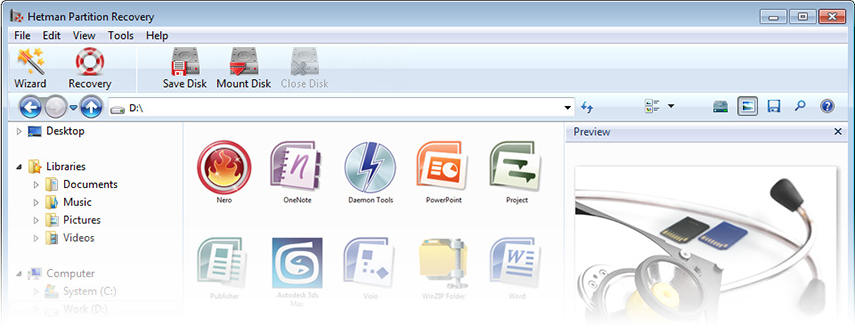
Best Alternative to Hetman Partition Recovery Software


1. What is Hetman Partition Recovery?

Hetman Partition Recovery is one of the best data recovery tools that come from the house of Hetman Software. This tool can recover lost data from any type of storage devices, like memory card, USB flash drive, hard disk etc. moreover, it can recover any type of data like documents, photos, presentations, spreadsheets, archives, compressed files, audio and video files, and much more from all types of NTFS and FAT file systems. So, whether you lose data due to lost partition, deleted volumes, malware attacks, system, failure or data corruption, Hetman recovery software will help you recover it.


• Comes with a fully guided recovery wizard and interactive user-interface.


• This data recovery software can recover data from any type of devices.


• It supports all devices with FAT and NTFS file systems, supporting all variations like FAT16, FAT32, VFAT, NTFS 3, NTFS 4, NTFS 5, etc.


• Two modes to preview files are available, Visual and HEX for casual and advanced users respectively.


• Advanced algorithms of the Hetman photo recovery software make the data recovery extremely secure.


• Effective data recovery from a range of mediums like USB drive, smart phones, digi cameras, memory sticks etc.
2. Why you Need the Alternative to Hetman Partition Recovery?

Although, Hetman Partition Recovery is quite useful than other data recovery software available in the market, still, it has its share of flaws. Let's also view some of these flaws of Hetman Partition Recovery that might compel you to find an alternative data recovery software.
Cons of Hetman Partition Recovery


• It isn't available for free. Though a free version is available, but it doesn't work.


• You need to register and buy the paid version to use it.


• Data recovery speed is very slow compared to other paid and free data recovery software.


• There isn't any guide available for deep scan mode.


• The all-manual mode is not easy to work with.
User-Reviews:

Here are some user reviews especially from those who have used this product hands-on:

"The trial version is very limited when it comes to features. It would have been really good if the test mode allows recovery of around 10 files"-Anonymous

"The software is undoubtedly effective and works well, but it is a bit complicated. It can be improved in terms of usability and user-experience. It sometimes gets slow and less intuitive as well"-Anonymous

From the user reviews, we can see that the Hetman Partition Recovery has many disadvantages, so we need find a alternative to it.
The Best Alternative to Hetman Partition Recovery: Tenorshare Ultdata - Windows/Mac


Gihosoft RePicvid Free Photo Recovery Software provides a free photo recovery software for windows to help users recover the deleted or lost photo for free.

If you lost data after you updated to a new iPhone, you can always use Gihosoft iPhone Data Recovery to get the data back from the old iPhone or backup.You may also like: iphonerecovery.com

Also Read:Adult Games for Android in 2019

Also Read:Best Project Free TV Alternative

Also Read:22 Best Websites Alternative to RouletteB in 2019

Also Read:Forward Calls on iPhone Xs/X/8/7/6s for Busy Time

Also Read:7 Best Alternatives to Megashare for Movie Watching in 2019

Also Read:Unbrick Your Bricked iPhone XS/XR/X/8/7 in 2019

Also Read:10 Websites to Watch Indian Live Television

Also Read:10 Best FRP Bypass APKs to Bypass Google Account Verification on Android

Also Read:Top 19 Best Websites Like VipBox for You to Watch Sports Stuff in 2019

Also Read:6 Best Free Photo Editing Apps for iPhone/iPad (2019)

Also Read:hack facebook account

Tuesday, 14 May 2019

FRP Bypass Tools in 2019 – Easily Remove FRP Lock


1
Samsung Reactivation/FRP Lock Removal Service

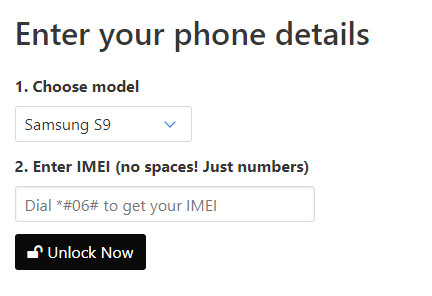
This is an online tool which requires you to submit your device model and IMEI number. After making a payment, the online service will take a couple of days to bypass the FRP lock. If the unlock succeeds, you will receive a unique ID and password that allows you to bypass the FRP.


Features:

You get to bypass the FRP without a computer or an OTG.

The online service is easy to use.

You will receive a Google ID and password that should work for your device.

Cons

You will have to pay beforehand and maybe extra fees further.

You have to wait for a couple of days to weeks for the bypass to complete.

After-sale service is not accessible sometimes.


2
Pangu FRP Bypass APK

Just like the name of the tool suggests, this is an APK file that has to be installed on the device that has the FRP lock. Since you won’t have the ability to download the APK directly on the locked device, you will have to download the APK to your PC, and then use a combination of a flash drive and an OTG cable to transfer and install the tool on your Android device.


Features:

You can use it with a wide range of Android device models.

Different versions are available for most of the Android versions featuring the FRP.

Cons

The tool has a lot of requirements. The pre-requisites include an OTG cable, a flash drive, a computer, and an internet connection.

If your device has the latest Android version, there is no guarantee the tool can work for you.

The bypassing process is complicated and tech required.


3
D & G Password Unlocker

Unlike Pangu APK, this tool will require you to install it on your computer and then connect the device featuring the FRP lock to your computer using a USB cable. Now, you will have to follow the onscreen instructions when using this FRP Bypass tool.


Features:

The tool supports a wide range of Android versions.

You won’t need to use an OTG cable.

Cons

The tool is too complicated to use.

It may not work with all Android device models.


4
UnlockJunky

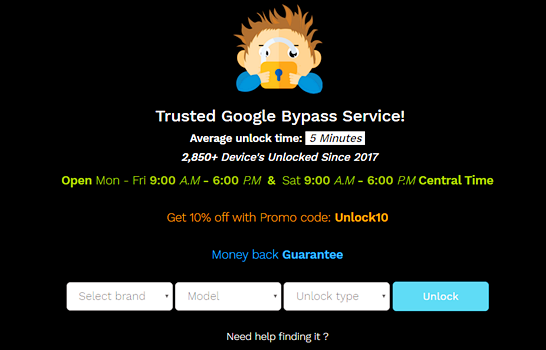
This is an online service which specializes on the FRP bypass. The service website is easy to use. To bypass the FRP using UnlockJunky, you will simply need to select the device model and the type of lock. Next, you will have to make your payment and wait for the UnlockJunky team to unlock your device.


Features:

The website is easy to use.

According to reviews available online, the unlock service is generally quick.

Cons

There is no guarantee the unlock can work for your device.

You will have to pay upfront.


To Conclude:

We have introduced 4 FRP bypass tools in this post. You can choose the one that suits you best. Compared with other methods to bypass FRP lock, iMyFone LockWiper (Android) is the most effective and reliable tool. There is no limitations or requirements to use it and it provides you a free trial before you decide to pay. Download it now and see whether it works for your device!Also Read:10 Websites to Watch Indian Live Television

Also Read:10 Best FRP Bypass APKs to Bypass Google Account Verification on Android

Also Read:Top 19 Best Websites Like VipBox for You to Watch Sports Stuff in 2019

Also Read:6 Best Free Photo Editing Apps for iPhone/iPad (2019)


Sponsor ads:

Gihosoft RePicvid Free Photo Recovery Software provides a free photo recovery software for windows to help users recover the deleted or lost photo for free.

If you lost data after you updated to a new iPhone, you can always use Gihosoft iPhone Data Recovery to get the data back from the old iPhone or backup.You may also like: iphonerecovery.com

If you use android phones, please choose Gihosoft Android Data Recovery.With Gihosoft Android Data Recovery, no longer afraid of data loss!

iPhone Manager:Get the ultimate Gihosoft iPhone Manager. Free download for PC/Mac.

Monday, 22 April 2019

Best XNSPY Alternatives 2019


Best XNSPY Alternatives

XNSPY is among the skillful tools that are specifically designed to monitor and track mobile phones. The easy-to-use tracking and monitoring app allows its users to track and monitor any phone remotely from either its own official website or from some other device. The major advantage of XNSPY is its compatibility with all the Android devices. However, every coin has two sides! And so does XNSPY. Not all the advanced features are provided by XNSPY. And today we are here to provide you with the best XNSPY alternative. These below described alternatives are super fast, advanced, all-in-one, as well as reliable monitoring apps that provide real-time tracking of location along with other cellphone activities as compared to XNSPY.
1. Spyera

SPYERA is one of the best XNSPY alternative owing to its "undetectable" feature that allows monitoring as well as tracking without been caught. The app offers you with an inclusive array of tools so as to monitor and track any of your devices remotely. The app is extensively available for any type smartphone from any old one to any recent one. Along with helping in spying the smartphone, Spyera also helps to spy tablets and computers too.


2. PhoneSheriff

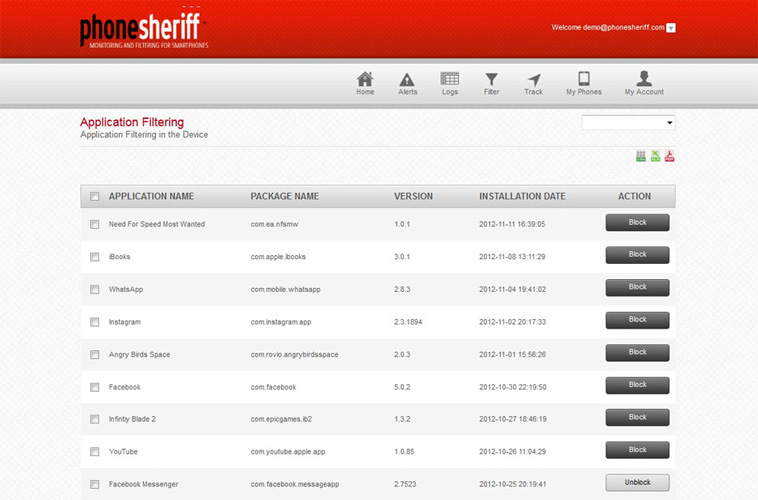
Phonesheriff is the second one on our list that can replace XNSPY since it serves as a parental control software for the smartphone and tablet devices. With the help of this easy-to-use app, one can simply block SMS and calls, monitor other activities on other mobile phones as well as create time schedules. PhoneSheriff proves to be a good app to monitor few other activities such as call logs, SMS, GPS info and so on.


3. TeenSafe

TeenSafe helps to monitor and track any smartphone from both a website as well as other smartphone. The app can help you track any other mobile phone's activity from a mere web browser. Basically, TeenSafe is specifically designed so as to keep kids safe from any online threat.


4. Spyzie

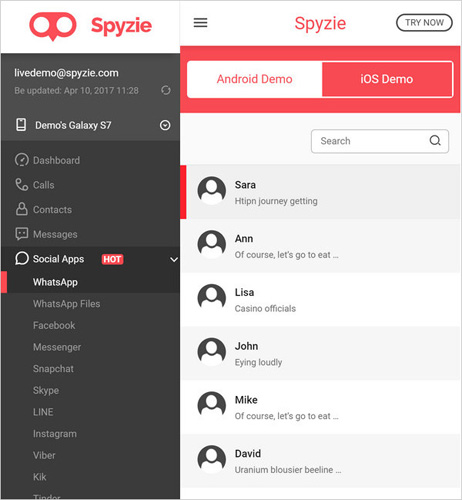
You can consider Spyzie as a trustworthy app to track and monitor mobile phone over the internet but only for Android devices. And this is also one of the drawbacks of the app. The app is able to monitor devices without the need of rooting of your device. The interface is also an easy-to-use one and helps you track and monitor all activities on Android devices remotely. It is an advanced web-based monitoring and tracking app.


5. Pumpic

Being a next-gen parental control app, Pumpic helps parents to track as well as monitor all the kids' activities from smartphone. It is an easy-to-use mobile tracking and monitoring app that has an array of various monitoring and tracking features that aids parents for keeping an eye on children's phone activities. More importantly, the app is invisible once installed. Pumpic has a collection of different features such as advanced SMS and call tracking, and so on.


6. MobiStealth

Mobistealth can track and monitor smartphones from any type of internet-enabled PC. Not only location, but the app can also track any small and tiny activity on the smartphone. With the help of MobiStealth, one can monitor any type of activity easily such as accessing call, viewing SMS, and so on.


7. iKeyMonitor

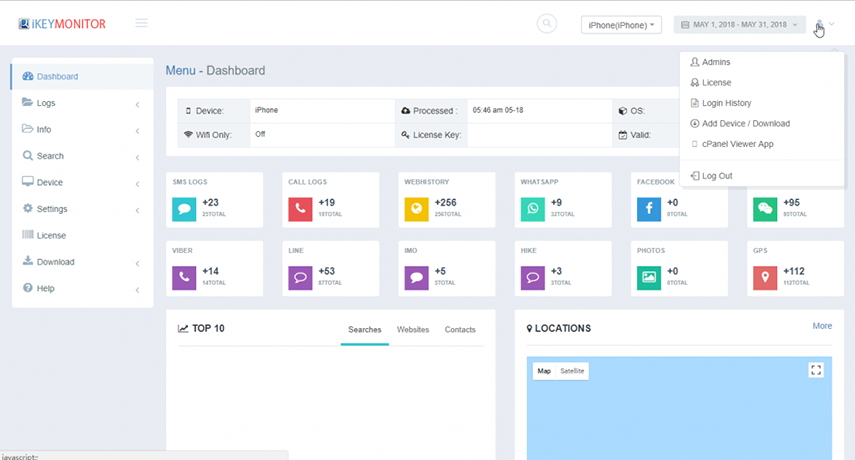
Being a prevailing application for spying, iKeyMonitor is able to monitor both Android as well as iOS devices. The app is also useful for parents as well as organizations so as to keep control and monitor the activities of children and employees, respectively. The app is invisible when installed in target smartphone and keeps monitoring all the activities of the phone remotely.


8. Highster Mobile

Highster Mobile is also utilized to keep a track on children by parent and that on employees by organizations so as to spy on call logs, SMS, social media activities, contacts details, tracking GPS location, web surfing, and so on. The easy-to-use app is truly enhancing the way one can track smartphones by providing its a bunch of features so as to know what's exactly going on, on target mobile.


9. FlexiSPY

FlexiSPY is known as a featured and powerful phone monitoring and tracking app as its provides its users to secretively listen and record the calls on the target phone. Nevertheless, one has root or jailbreak any Android or iOS device so as to use the app. Once done with rooting of the target phone, you can smartly use this app.Sponsor ads:

Gihosoft RePicvid Free Photo Recovery Software provides a free photo recovery software for windows to help users recover the deleted or lost photo for free.

If you lost data after you updated to a new iPhone, you can always use Gihosoft iPhone Data Recovery to get the data back from the old iPhone or backup.You may also like: iphonerecovery.com


10. TrackingSmartphone

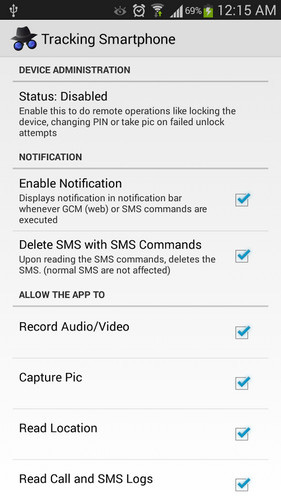
TrackingSmartphone can be used to track and monitor multiple phones and is also designed in such a way that its users can track and monitor any device via online dashboard, which can be viewed from TrackingSmartphone's official website as well as from some other device too. It is a free-to-use app used for monitoring of Android devices.


11. SpyHuman

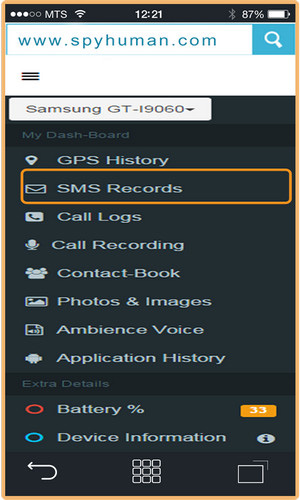
SpyHuman can be used by those who are in search of high-quality monitoring and tracking app. If you are done with spending a lot on other not-so-good phone monitoring apps that just do not give you what they claim, SpyHuman is just what you require.


12. My Mobile Watchdog

My Mobile Watchdog, as the name suggests, is an app that will help you monitor and track any device from an online dashboard. The monitoring and tracking app basically helps parents track the activities of their children and hence can be used as parental control app.


13. Spyrix Keylogger Free

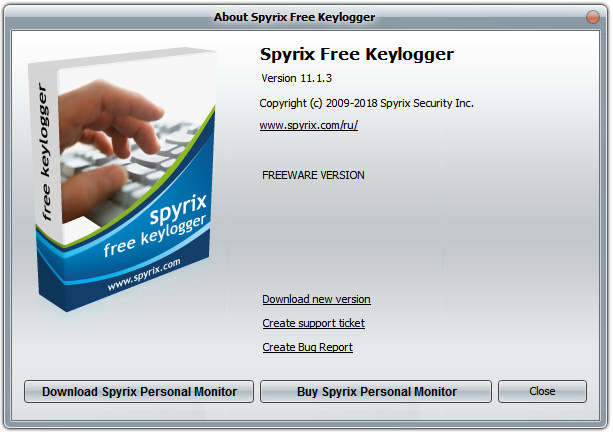
Another parental control app in the list is Spyrix Keylogger Free. All the activities on any device of the kids can be tracked and monitored by this app. Hence the app protects the kid and helps parents to track the phone activities of their kids. It also comes with other additional features that makes tracking and monitoring easy.


14. Easy Phone Track

As its name suggests, Easy Phone Track is actually a very simple-to-use phone tracking tool, which helps keep an eye on any activity going on a device. The app is fast, easy, as well as a reliable one so as to monitor and track devices. All you need to do is install the app on the target device.


15. Spy Phone App

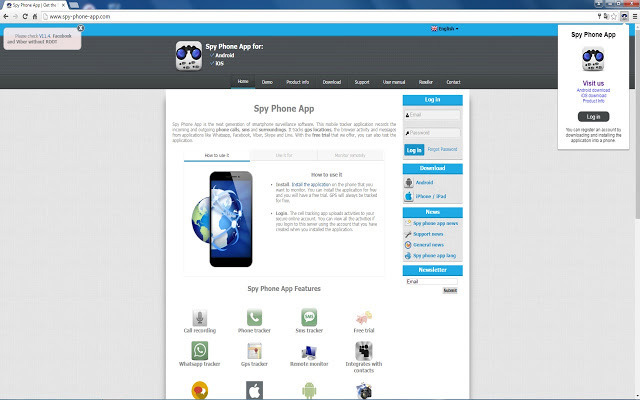
Spy Phone App uses advanced GPS monitoring and tracking method. The easy tracking tool can monitor devices as well as its activities. It is a multi-functional monitoring and tracking app that can be used to track and monitor any kind of activity on devices such as tracking online activities, SMS, accessing internal storage, and so on.

Also Read:Update Android

Also Read:Top 8 Best Alternative Websites to TamilGun in 2019

Also Read:Free Download FRP Bypass APK for Android 2019

Also Read:Best 10 Movie4k Alternative Websites for Movie Streaming 2019

Also Read:Top 32 Best Proxy and Mirror Sites to Unblock Fmovies 2019

Also Read:Best Torrent Search Engine Sites to Find Your Favorite Torrents 2019

Also Read:5 Best Sites Serving as Alternatives to TheWatchSeries Online 2019

Also Read:Top 6 Best Alternative Websites to Torlock For You 2019

Also Read:Download Latest Samsung USB Drivers for Mobile Phones on Windows

Also Read:take a screenshot on any Android phone

Also Read:Convert Video to GIF Free with Top 5 Free Video to GIF Converters

Also Read:Add Timestamp to Photos on Windows/Mac/Android/iPhone

Also Read:iPhone Manager


The above article has list the best 15 best XNSPY alternative apps for you. Hope one of the above XNSPY alternative apps have fulfilled your requirement. We greatly suggest Spyera as it is the best XNSPY alternative having various amazing features. Let us know your feedback in the below comment section.

Friday, 12 April 2019

10 Best Writing Apps for Android 2019


Best Writing Apps for Android:


Google Docs


Microsoft Word


JotterPad


Evernote


Writer Plus


Mirakee


Writer


Monospace


ColorNote Notepad Notes


NOTEBOOK
1. Google Docs

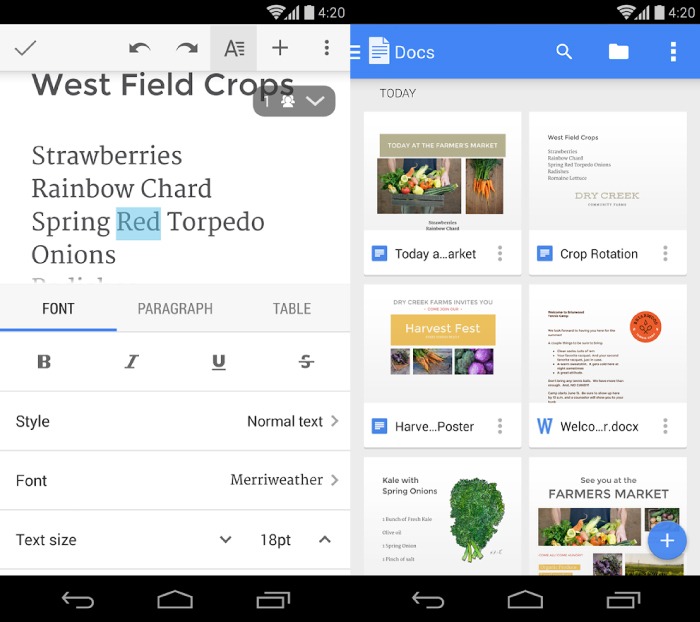
Google Docs is certainly one of the best online office suite application available in the Google Play Store. It ensures to serve almost all blots and tools required for a complete writing session. Specifically, getting the app connected with your Gmail account permits you to work anytime from anyplace without any hassle. In addition, it also keeps updating your documents to Google Drive after each edit made. Hence you won’t be losing even a word from your document anymore. Finally, in case of storage, users can take advantage of 15 GB of cloud storage space provided by Google Drive to save your documents.


Main Features:


Create & Edit Documents


Auto Save to Cloud


Share Files Easily


Work from Anywhere

Download Google Docs
2. Microsoft Word

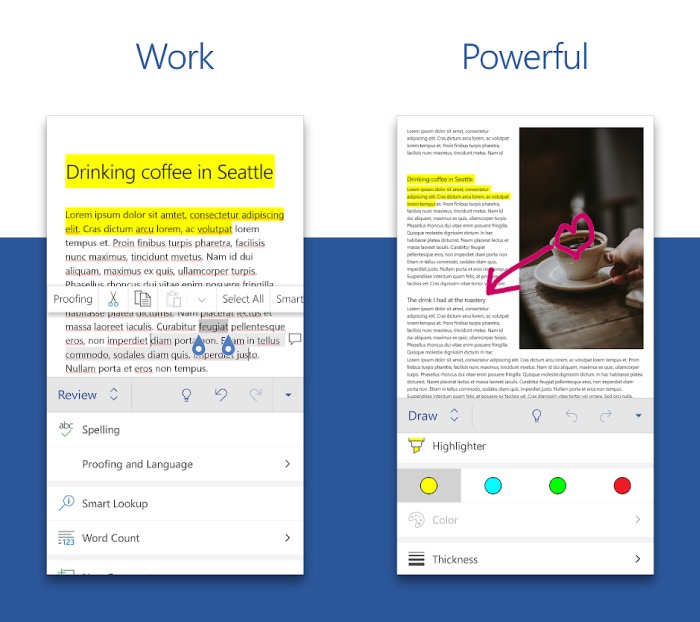
Microsoft Word is a minimal office suite application for your Android device from just the same developers of the eminent Microsoft Office. The app composes a number of essential tools which lets you write, edit and share your documents flawlessly. For instance, you can create attractive blogs, resumes, notes, letters and even more using this single application. Furthermore, you can easily share your documents and collaborate with anyone lying around. At last, all your documents can be either saved to your device storage or else to your Microsoft One Drive cloud.


Main Features:


Read, Write & Edit Files


Create Documents with suitable Templates


Collaborate with Anyone


Auto Save to Cloud

Download Microsoft Word
3. JotterPad

Jotterpad is a straightforward writing application which is mainly centralized on novel and screenplay writings. The app itself is a simple and plain text editor with a minimal user interface. For this reason, writers can spend a long time on documenting their contents without any distractions. In addition, the app hosts some of your preferred options such as the dark mode, word count, snapshots, extended keyboard and many more. Finally, the app lets you sync your documents with any of your favorite Cloud services.


Main Features:


Plain Text Editor


Numerous Features


Write & Edit from Anywhere


Save to Cloud

Download Jotterpad
4. Evernote

Evernote is an all-in-one note maker as well as an ideal writing app from Evernote Corporation. Well if you are an ex-Lenovo smartphone user, you might have already seen this app pre-installed in your device. Straight ahead, the app features note taking, pdf making, documenting and even notebook creation with images and video clippings in it. Indeed, it also sports a unique feature which allows scanning your handwritten notes! Finally, keep your documents synced so as to access them from any of your devices.


Main Features:


Create Documents with Clippings


Scan Documents using Camera


Sync across all Devices


Widgets for Home Screen

Download Evernote
5. Writer Plus

Writer Plus is yet another user-friendly writing app for creative writers. The app has a simple and basic user interface which helps you focus on your contents without any distraction. Checking the features, Writer Plus provides some primary to major hallmarks starting from writing and edit documents and all the way up to keyboard shortcuts, night mode, word and character counts, etc. Besides, it supports a number of languages and is free to use as well. However, there isn’t an option to sync your documents with cloud storages as of now. In other words, all your files will be saved in your Phone storage or external SD card.


Main Features:


Edit & Save text Fast


Supports Keyboard Shortcuts


Night Mode


Free to Use

Download Writer Plus
6. Mirakee

Mirakee is not only an ideal writing app but also a global community which is composed of diverse writers, readers, and poets. For instance, users can write and showcase any type of works, be it – Stories, poems, write-ups, quotes, and blogs, etc. In addition, writers can get a copyright for their contents as well as make your writings searchable on Google once you have completed 20 posts on Mirakee. Lastly, the app hosts a variety of tools to customize and design your posts so as to make it showy and it also supports a number of languages too.


Main Features:


Creative Writing Community


Write and get Copyrights


Post-Designing Tools


Rear & Write in any Language

Download Mirakee
7. Writer

Writer is a simple and lightweight writing and note maker app which assists you to turn your thoughts into amazing texts. Although the app has a bit outdated writing space, still it comes with some essential settings and tools for editing and corrections. Apart from writing and editing, users can also view their writing statistics as well. However, documents are stored in a default location i.e, you won’t be able to change the storage path manually.


Main Features:


Simple & Minimal Design


Markdown Support


View Writing Statistics


Save to Device Storage

Download Writer
8. Monospace

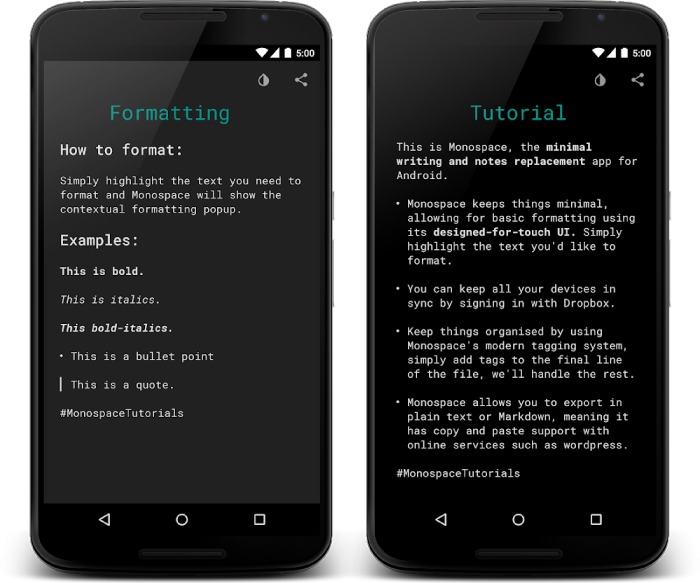
Monospace is one of the basic note making and writing applications available in the Google Play Store. The app doesn’t offer a wide variety of features, but still provides all primary and essential features required for an ideal writing session. In comparison with other writing apps, Monospace uses a #hashtag feature to sort and store your documents rather than placing them in conventional folders. Besides, the app also has a paid premium version of it, which benefits you to sync your documents to any preferred cloud storage.


Main Features:


Basic Writing App


#Hashtag Feature to Organize Files


Text Formatting Tools


Sync with Cloud (Pro Version Only)

Download Monospace
9. ColorNote Notepad Notes

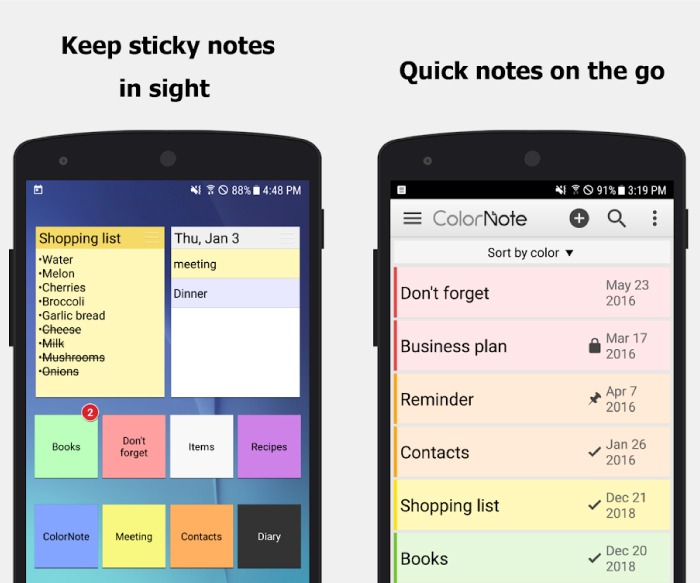
As the name suggests, ColorNote is a simple and colorful Notepad application with over 2 Millions of total downloads from Google Play. The app is fairly designed with a vivid user interface on top, in the meantime also it ensures to give you the best notepad editing experience ever. ColorNote simply manages to write notes, memos, shopping lists, to-do lists, etc without any hassle. Furthermore, users can save their files to external storage or sync with cloud storage as they wish. Finally, you can organize your files according to their color and can also protect your documents with passwords as well.


Main Features:


Quick Notepad App


Colorful Interface


Protect Notes with Passwords


Task Reminder

Download ColorNote
10. NOTEBOOK

Rated as one of the best apps of 2017, Notebook is an instant Note Taker application available in the Google Play Store. The app provides the right platform to write down notes and seize your thoughts. One of the best parts of the app is that you can write down notes to create documents as well as record voice to generate an audio note. Besides, Notebook also bestows the options to search for files, secure your documents using passwords, grouping notes together, etc. In the end, users can sync their documents to Cloud storage as well.


Main Features:


Create Notes with Clippings


Audio Notes


Supports Checklist Function


Secure Notes with Passwords

Download Notebook

So these were our top picks for some of the best Writing Application for your Android device this year. If you liked the content and find it useful, make sure to share it with your friends as well.Gihosoft RePicvid Free Photo Recovery Software provides a free photo recovery software for windows to help users recover the deleted or lost photo for free.

Jihosoft Android Data Recovery: the best Android Data Recovery software for Windows and Mac to recover deleted contacts, messages, photos, videos, WhatsApp and etc from Android devices.Tips:How to transfer messages from iPhone to iPhone

Jihosoft File Recovery:Recover deleted, Lost, formatted, or corrupted files from PC, flash drive and memory card easily & safely


Which PC Case Size is Best for Your Next Build?

  Which PC Case Size is Best for Your Next Build?   There are several common PC case sizes to choose from when building your next gaming PC ...